When you click on links to various merchants on this site and make a purchase, this can result in this site earning a commission. Affiliate programs and affiliations include, but are not limited to, the eBay Partner Network.
Specifications:
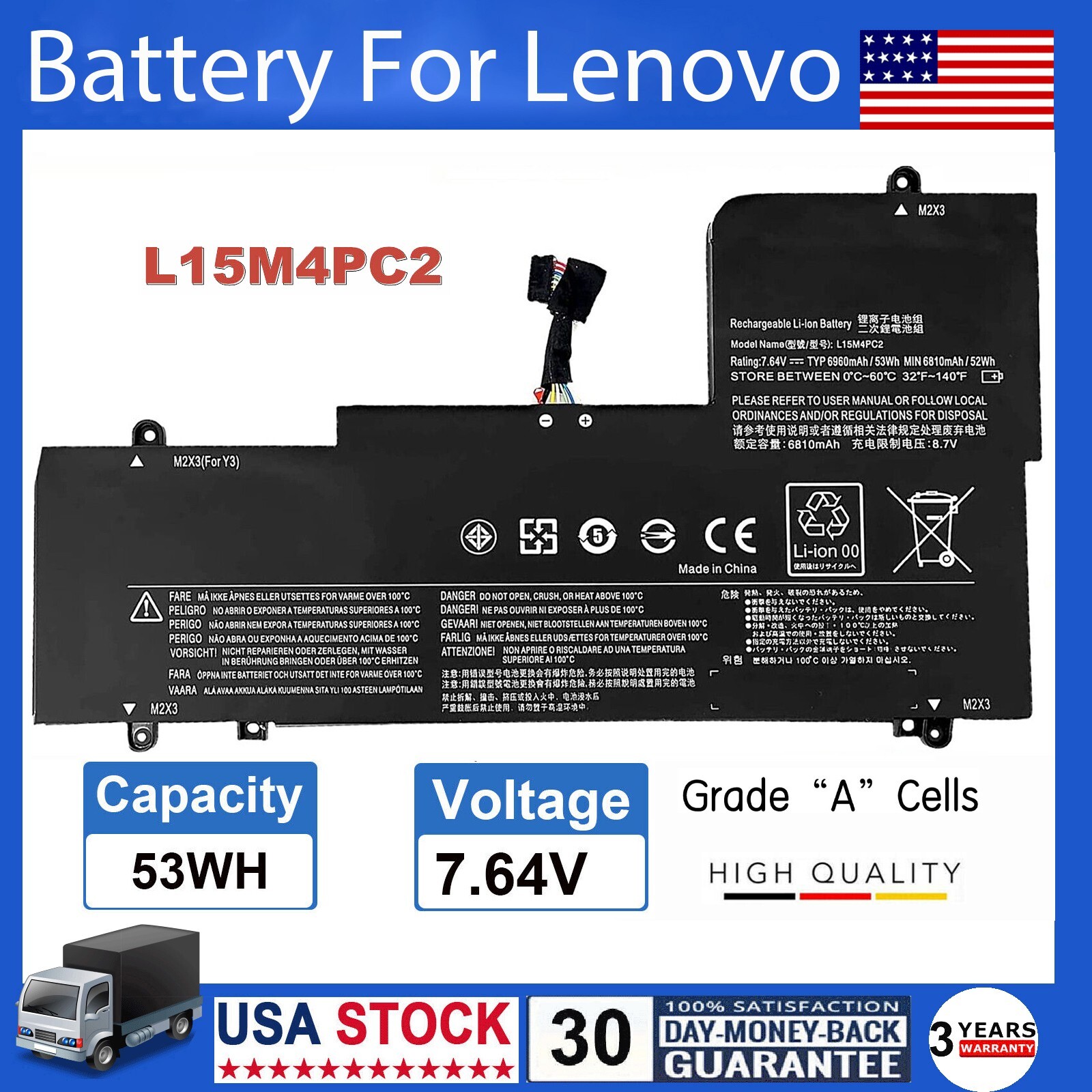
Condition: Brand New - Grade A cells,100% Compatible and high quality,the best replacement battery for your laptop.
Battery type: Li-ionL15M4PC2Rechargeable Battery
Voltage:53Wh/ 7.64V
Condition: Brand New , \'A\' grade cells,100% Compatible!
100% New Components are made by our factory- never refurbished, recycles, or used.
100% Compatible and high performance - Guaranteed to meet the specifications of your original device at a reduced price.
Certification: CE FCC RoHS
Color: black as pictures
Operation time: approx 2.5-3.5 hours
Package including: 1PCS *Battery (in packing carton box)
Compatible Part Numbers:
5B10K90778 5B10K90802
2ICP6/64/71-2 L15L4PC2 L15M4PC2
Compatible Models:
For Lenovo Ideapad Yoga 710-14IKB Series:
80V40000HH 80V40001HH 80V4002HGE 80V4002JGE
80V40034RA 80V40036RA 80V4003ARA
80V4003RPB 80V40048MH 80V4004BGE 80V4004JGE
80V4004KGE 80V4004NMH 80V4006FGE .
For Lenovo Ideapad Yoga 710-14ISK Series:
80TY000QGE 80TY000RGE 80TY000SGE 80TY000TGE
80TY003GCK 80TY003HCK.
For Lenovo Ideapad Yoga 710-14ISK-IFI,
For Lenovo Ideapad Yoga 710-14ISK-ISE,
For Lenovo Ideapad Yoga 710-15IKB Series:
80V50000US 80V50009US 80V5000JRK
For Lenovo Ideapad Yoga 710-15ISK Series:
80U00000US 80U00004US 80U00006US 80U00007CF 80U00009CF and more.
Note:
Please check carefully about your laptop model name/battery part number/battery shape and size to make sure you purchase the correct battery.
How to confirm that the battery is suitable for your laptop?
Method 1: Use System Information to find your laptop model
Step 1: Press Windows + R to open Run window.
Step 2: Input \"msinfo32\" in the empty box and click OK to open System Information.
Step 3: Keep in the System Summary section, and you will find the System Model item in the right pane.
Method 2: Remove Battery from Laptop to find your laptop battery part number
Step 1: Switch off the laptop and unplug the power cable in case of electric shock
Step 2: Remove the back panel with the screwdriver. You should to this with care avoiding any harm to the laptop components.
Step 3: Disconnect the cable connected to the battery and then take out the battery. After that, you can check the specifications of your battery.