When you click on links to various merchants on this site and make a purchase, this can result in this site earning a commission. Affiliate programs and affiliations include, but are not limited to, the eBay Partner Network.
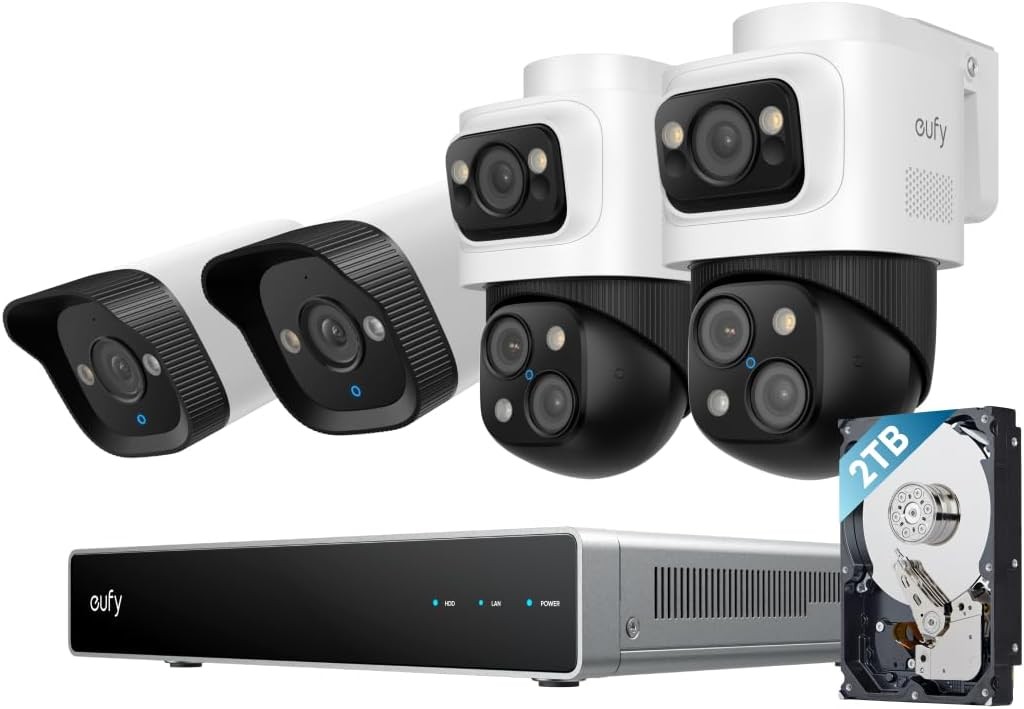
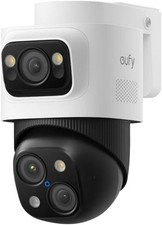
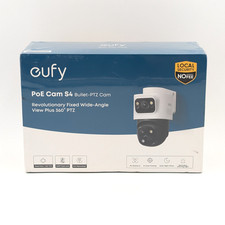
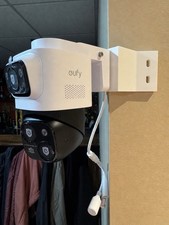
eufy PoE NVR Security System S4 Max, 16 MP Triple Lens Bullet-PTZ Cam, 360° PTZ, 8× Auto Zoom, Smart Video Search, Cross-Cam Tracking, Red & Blue Strobe, Color Night Vision, 24/7 Recording, 2TB HDD| Certified Refurbished
Product DetailsFlexible All-in-One Local Security
- See multiple livestreams via the eufy app, web portal, or display.
- Works with Alexa and Google Voice Assistant.
- Compatible with other eufy security cameras. (Requires a eufy Wi-Fi module to operate.)
Fusion Link Transmits Up to 1.25 Miles
- Long-Range Module (schedule to launch later): Transmit a reliable dual-band 2.4/5GHz signal with high-gain antennas up to 1.25 miles away.
- Wi-Fi Module (schedule to launch later): Establish NVR connections with other eufy Security products and unify your home defenses.
Product Details
- The Revolutinary 4-Cam System: Secure your property with two 4K turret cameras for fixed zones, two bullet-PTZs for a 4K wide-angle overview, plus a 2K PTZ with 360° pan and 8× zoom for active tracking. AI-ISP ensures vivid color night vision with spotlights needed. NOTE: To ensure you can use our PoE NVR Security System smoothly, please make sure your eufy APP is updated to the latest version of iOS V5.0.70/Android V5.0.71 or above.
- Live Cross-Cam Tracking: The bullet-PTZ cameras work in sync to track movement in real-time. When one camera reaches its limit, another takes over instantly, ensuring continuous, uninterrupted coverage—all under your control.
- Expandable Security: 8‑Port NVR that can be expanded to 16 channels via a PoE switch(no included). Supports up to 8 Bullet‑PTZ Cams (uses 2 channels each) or up to 16 Bullet/Turret Cams. Includes a pre‑installed 2 TB HDD (upgradeable to 16 TB) for 24/7 recording.
- Local AI Agent: Unlock proactive, real-time security with our local AI agent, fueled by 6T/8-Core power for instant analysis, genuine threat identification, and decisive action. Customize no-go zones and alerts, enabling AI to accurately detect real danger and ensure tailored responses.
- Auto-Framing and Group Tracking: When the bullet camera detects a subject, the PTZ locks on and auto-tracks them in sharp, centered close-ups from up to 164 ft away. Auto-zoom keeps moving subjects framed until they exit view.
- Smart Video Search with no subscription fee: Instead of scrolling through all of your videos, instantly find what you\'re looking for by searching keywords.
- 3-Year After Sales Support: Rest easy knowing your product is covered by our 3-year after-sales service. Our expert support team is on standby 24/7, ready to resolve any concerns swiftly and keep you up and running.
What\'s in the box
- 1 x Network Video Recorder S4
- 2 x PoE Cam S4, 2 x PoE Cam E40
- 4 x 59ft/18m Ethernet Cable, 1 x 3.3ft/1m Ethernet Cable, 1 x HDMI Cable
- 1 x Power Adapter, 1 x USB Mouse, 4 x Waterproof Cover Pack
- 2 x Mounting Bracket, 4 x Screw Pack, 1 x Quick Start Guide
Q&A1. How many real-time streams can the NVR support at most? How many channels of real-time flow does the Bullet-PTZ occupy?The NVR supports up to 16 channels. The Bullet-PTZ camera occupies 2 real-time streams, and up to 8 Bullet-PTZ cameras can be connected.
2.How do I use the NVR?GUI (Display): Connect the HDMI to the display, you can control it via the display.App: Download the latest version of the eufy app from the App Store or Google Play.Web Portal: Please log in to eufy.com, then click Support > Security Web Portal.
3.How much storage space does the NVR have, and how many drive bays are there?The NVR comes with a 3.5-inch drive bay. A 2 TB mechanical hard drive is included with the product, and you can upgrade this for up to 16 TB of storage.
4. Are eufyCam, SoloCam, eufy Video Doorbell, and eufy Sensor supported?eufy Wi-Fi Module (T8709) is required for compatibility with wireless cameras, doorbells, and sensors.
5. How do I update the NVR firmware?Automatic Update: Ensure NVR is connected to the eufy app. Updates are automatic.Manual Update: Ensure NVR is online. Go to Settings > Firmware Update > Check for Updates.USB Update: Download the firmware file from eufy website to update.
Copyright All Rights Reserved.